Flume
The IDM you missed, made for the Mac.
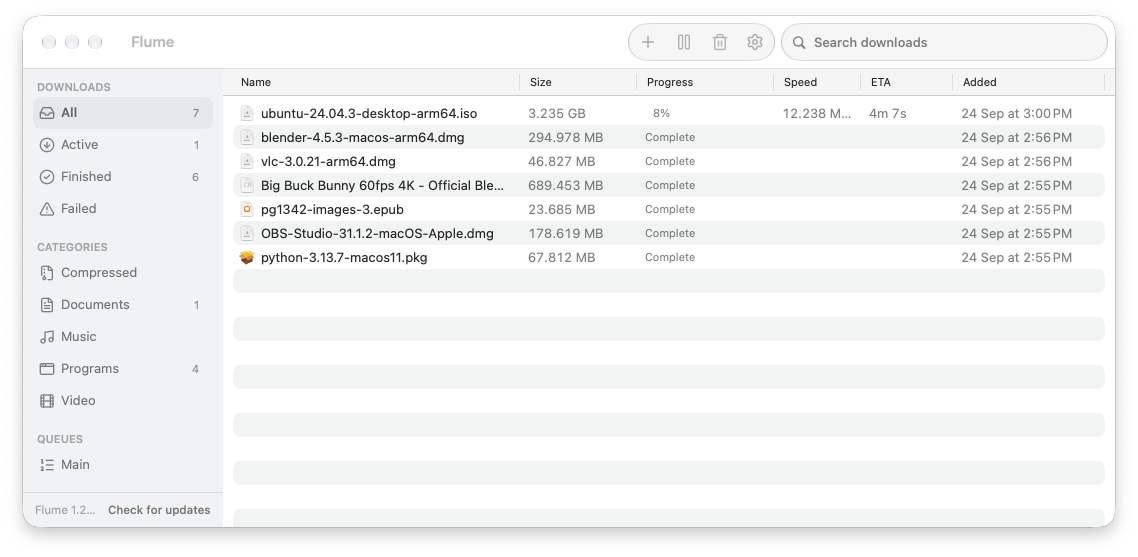
If you used Internet Download Manager on Windows, Flume is that for your Mac. It catches downloads from your browser, splits each file across many connections, and saves video from the page you’re on. Pause, quit, lose Wi-Fi: it picks up where it left off.
Everything a download manager should do. Nothing it shouldn't.
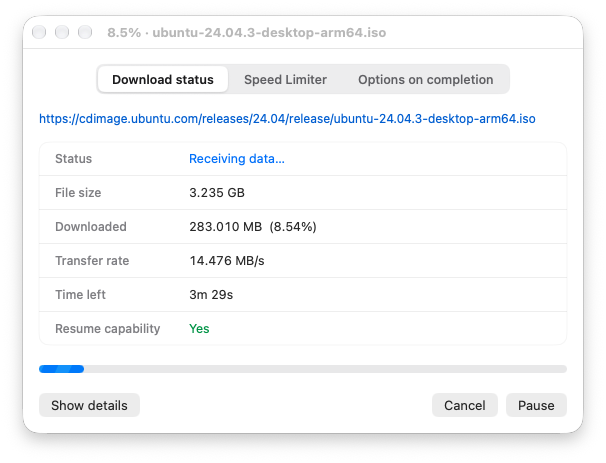
Up to 32 connections
When one part finishes, its connection takes over half of the biggest part left. None sit idle.
Faster on bad connections
Uses HTTP/3 when the site supports it, which keeps speed up on slow or lossy routes where ordinary downloads crawl.
Resume anything
Survives quitting, crashes and network loss. If the file changed on the server, Flume starts over instead of saving a broken file.
Works with your browser
A small extension for Chrome, Brave, Edge, Chromium, Arc, Firefox and LibreWolf hands downloads to Flume. Right-click a page to grab every link on it. If Flume can't take one, the browser carries on as usual.
Downloads that need a login
Your browser's sign-in travels with the download, so files behind a login, like a spreadsheet's Download a Copy, just work.
Save videos
A Download button on video sites, with a choice of quality. Works on sites you're signed in to, and on live streams.
Queues, limits and schedules
Limit how many run at once, set active hours, cap speed overall or per download, or cap data per time window.
Finishes, then sleeps
Tell Flume to quit, put the Mac to sleep or shut it down once everything is done.
Tidy folders
Finished files sort themselves into Video, Music, Documents and more. Progress lives in the menu bar too.
How it works
- 01You click a download linkThe browser extension hands it to Flume instead of the browser.
- 02Flume splits the fileA Rust engine fetches the parts over parallel connections and rebalances as they finish.
- 03The file lands where it belongsJoined, checked and moved into its category folder.
Install
- Download Flume.dmg, open it and drag Flume into Applications.
- Open Flume. macOS warns it can't check the app, because it isn't signed with a paid Apple certificate. Click Done.
- In System Settings Privacy & Security, click Open Anyway. You only do this once: updates arrive inside the app and never ask again.
- On first launch, follow the three-step setup to connect your browser. Help Set Up Browser Extension… reopens it.
What Flume can access
- Browser extension
- Runs on every page to add the video button and catch downloads. Reads a site's cookies only to pass your sign-in to Flume for that download. Nothing leaves your Mac.
- Network
- Talks only to the sites you download from, plus the update check at dl.seqavo.com.
- Keychain
- Keeps site passwords you choose to remember. Remove them in Settings or Keychain Access.
- Open at login
- Off unless you turn it on in Settings.
- Notifications
- Tells you when a download finishes or fails.
- Analytics
- None. No tracking, no account, no crash reporting.
The full privacy policy and terms of service say more.

Get Flume
v1.30.0, macOS 14 or later, Apple silicon. Free.